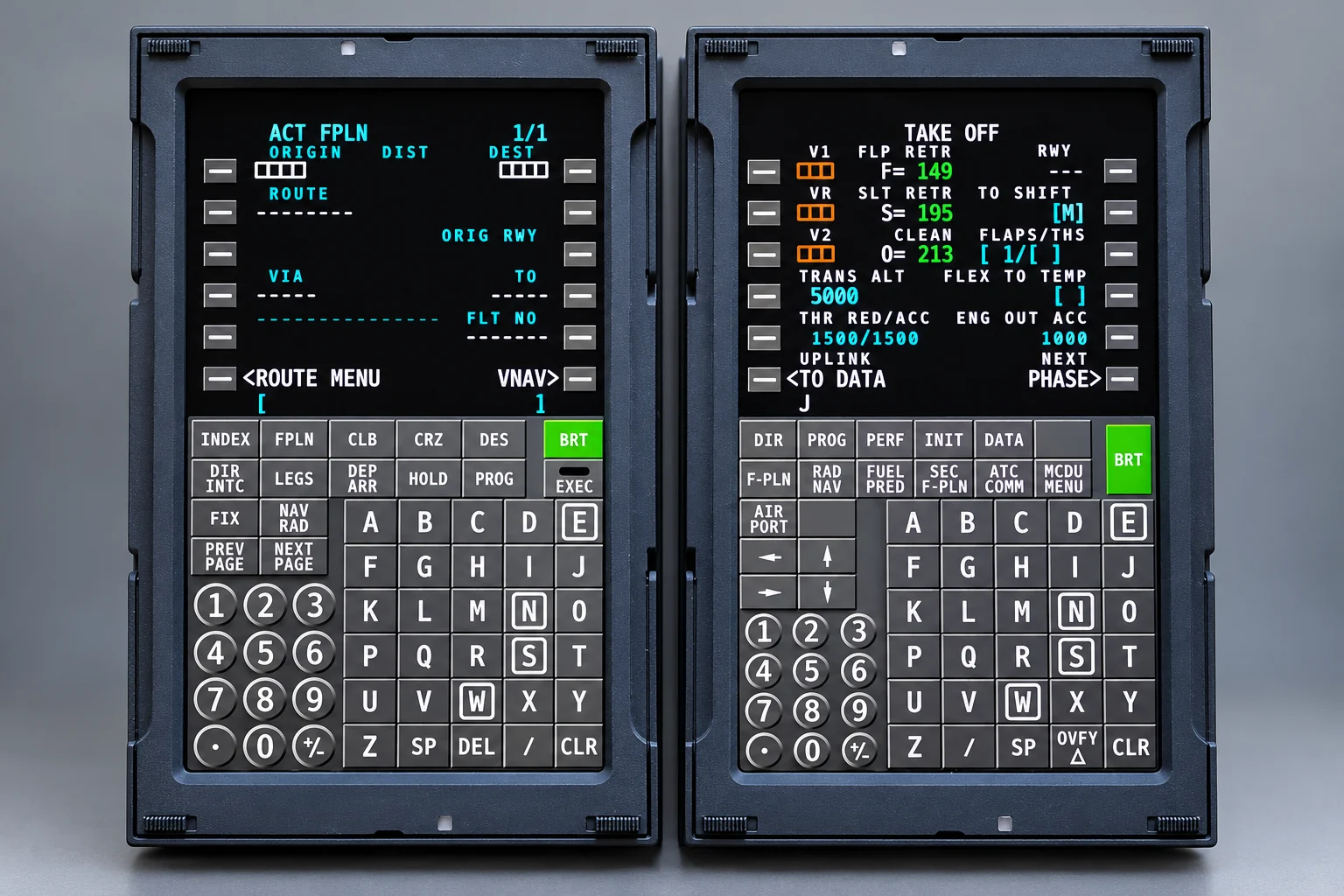
The LAS TFMC began with a piece of aviation news. Boeing was introducing touchscreen Control Display Units (TCDUs) to replace conventional keypad-equipped interfaces to the flight management computers in its 737 aircraft.
That caught my attention.
I wondered whether I could take the same basic idea and build something for home flight simulation. Not an exact reproduction of Boeing’s hardware, but my own interpretation of what a touchscreen FMC could be.
Why I Built It
Primarily because it looked like an interesting engineering challenge.
Traditional aircraft CDUs use physical buttons, and for good reason. They provide tactile feedback, have a familiar layout and can be operated without constantly looking at your fingers. A good physical keypad is difficult to beat. But fixed hardware also has limitations.
Think back to the BlackBerry and the arrival of the iPhone. BlackBerry’s physical keyboards were excellent, but the iPhone demonstrated something different: when the controls become part of the display, the interface can change to suit the task.
A touchscreen isn’t automatically better. Without careful attention to responsiveness, visual feedback and the behaviour of individual keys, it can actually be considerably worse. I wanted to find out whether I could make a touchscreen CDU that felt like cockpit equipment rather than a computer pretending to be one.
Boeing provided the original inspiration, but I also wondered what an Airbus touchscreen MCDU might look like. I wasn’t trying to reproduce an announced Airbus touchscreen design; this would be my own interpretation. So why not create an Airbus profile as well?
That introduced another challenge: making the same hardware look and behave like two quite different cockpit interfaces.
How I Built It
What followed was almost a year of intensive development, with plenty of experiments, wrong turns and ideas that didn't work quite as expected. The basic concept was straightforward enough: a high-resolution touchscreen, a Raspberry Pi and a purpose-built enclosure. Making the combination work convincingly was another matter.
Finding the right screen
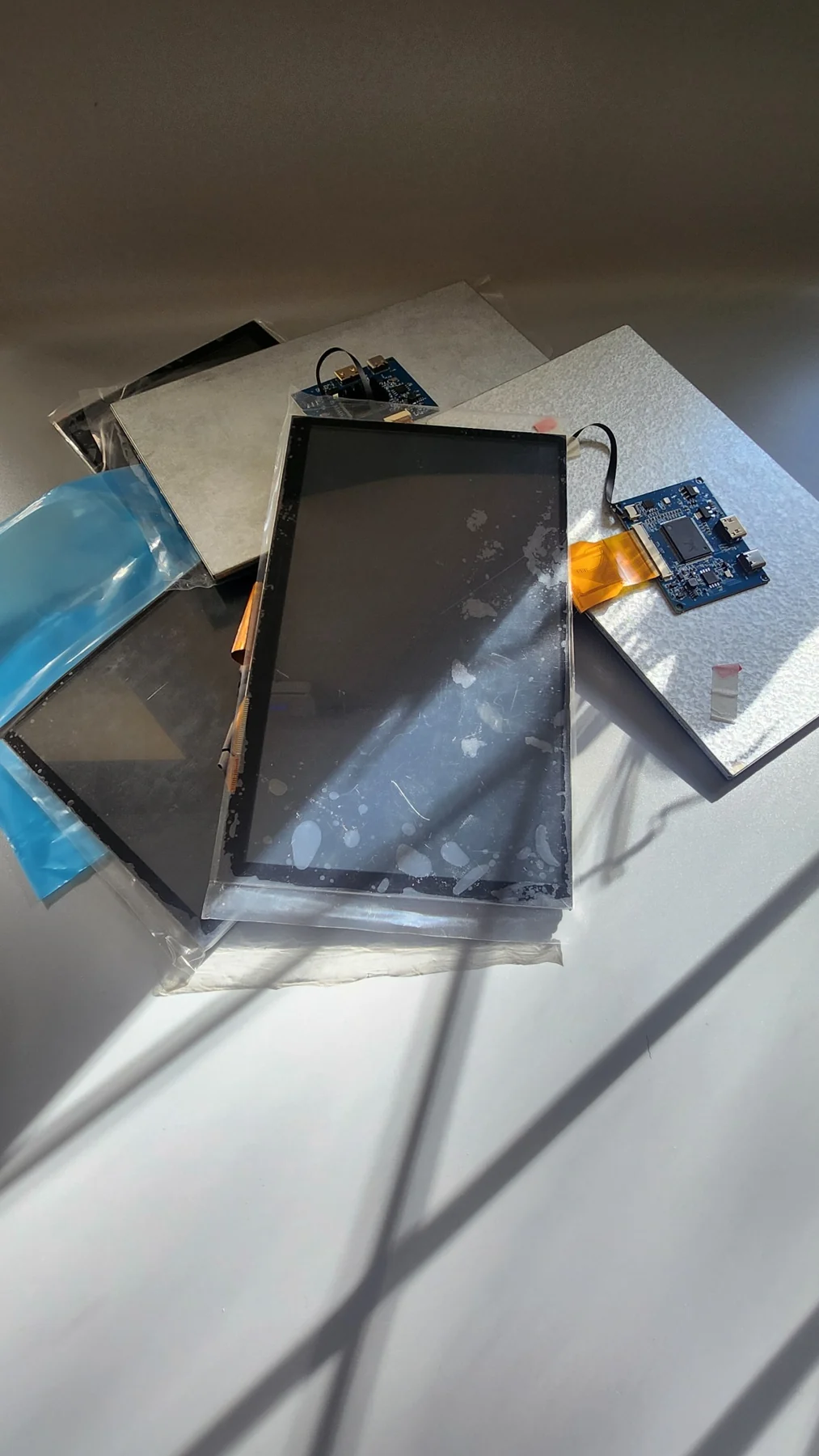
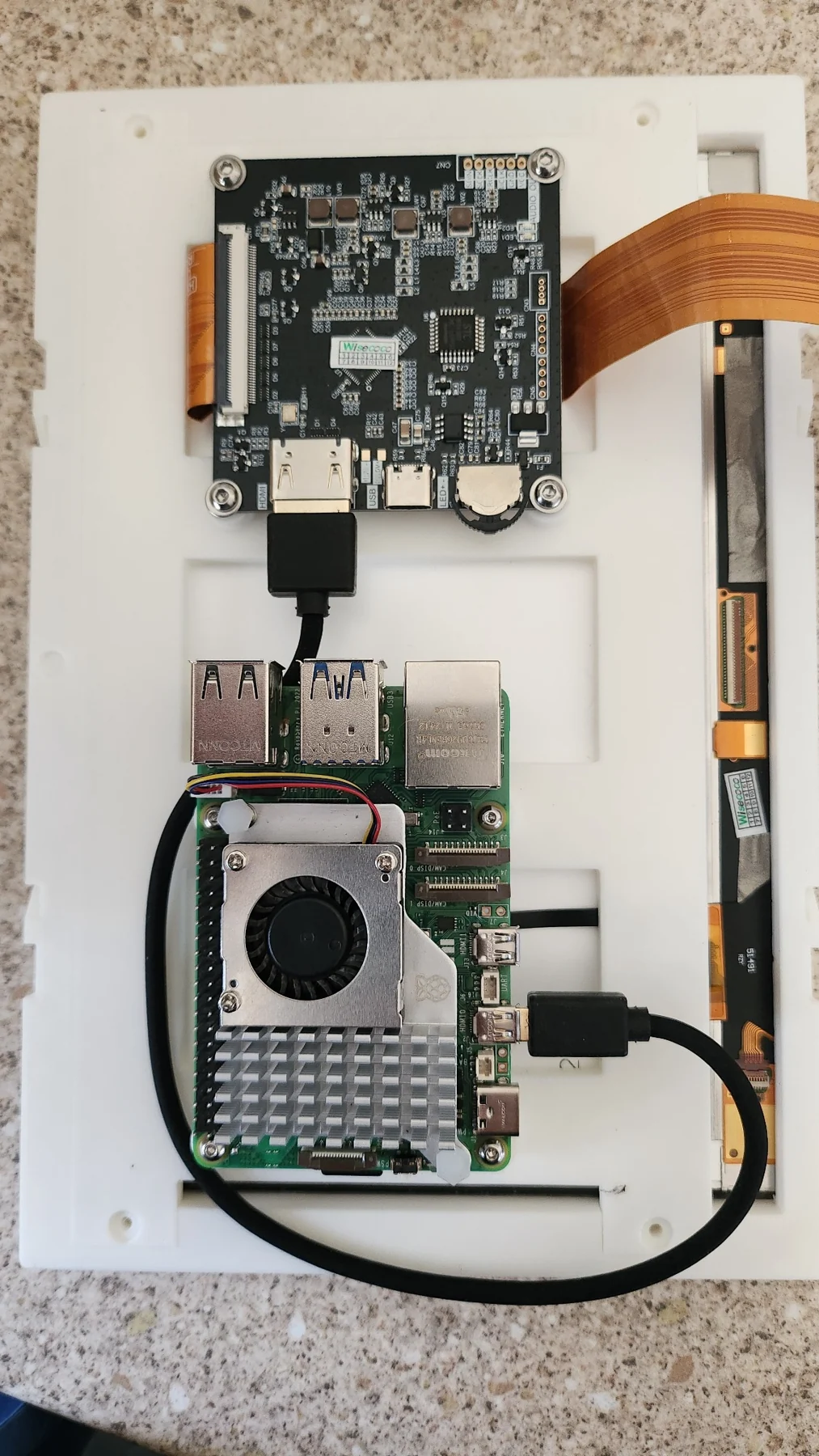
This turned out to be one of the biggest challenges. I looked at a considerable number of displays before settling on an 8.9-inch, 2560 × 1600 panel. Many were rejected because of their dimensions, image quality or other limitations.
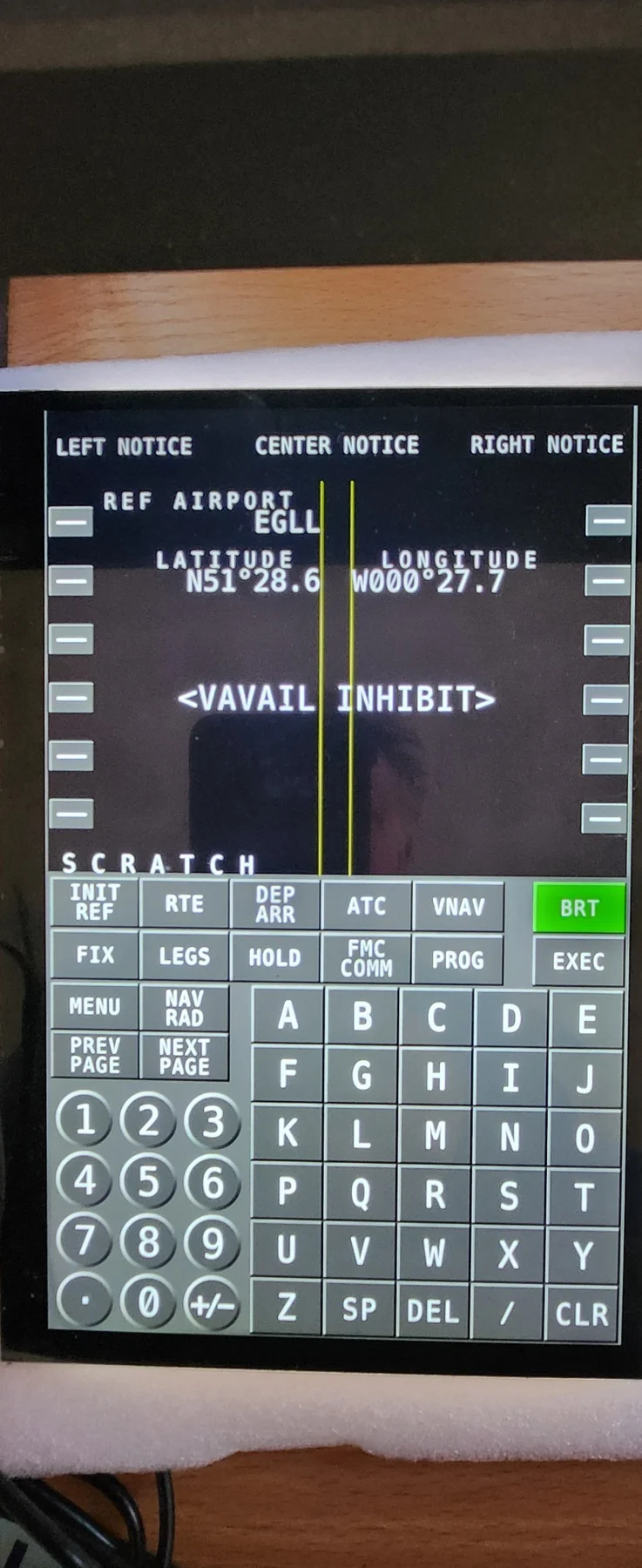
The chosen display has exceptional sharpness, excellent contrast and, importantly, blacks that really do look black. Photographs don't properly capture how crisp the characters appear in person.
It wasn't quite the shape I wanted. Ideally it would have been about 5 mm taller and 5 mm narrower. The image quality won, so I designed the rest of the TFMC around it. The conventional CDU width of around 146 mm had been my target; the finished unit is 150 mm wide by 228 mm high. Revisiting the extra 4 mm only makes sense if there's demand.
There was another complication: the display provides no usable hardware backlight control. I implemented apparent brightness adjustment in software instead. It isn't true backlight dimming, but visually it works remarkably well.
Making it feel like an appliance
The Raspberry Pi 5 was the obvious computer: compact, capable and widely available. But I didn't want the TFMC to feel like a Pi running an application. It needed to start up and behave like a dedicated piece of equipment, with the operating system kept out of the user's way.
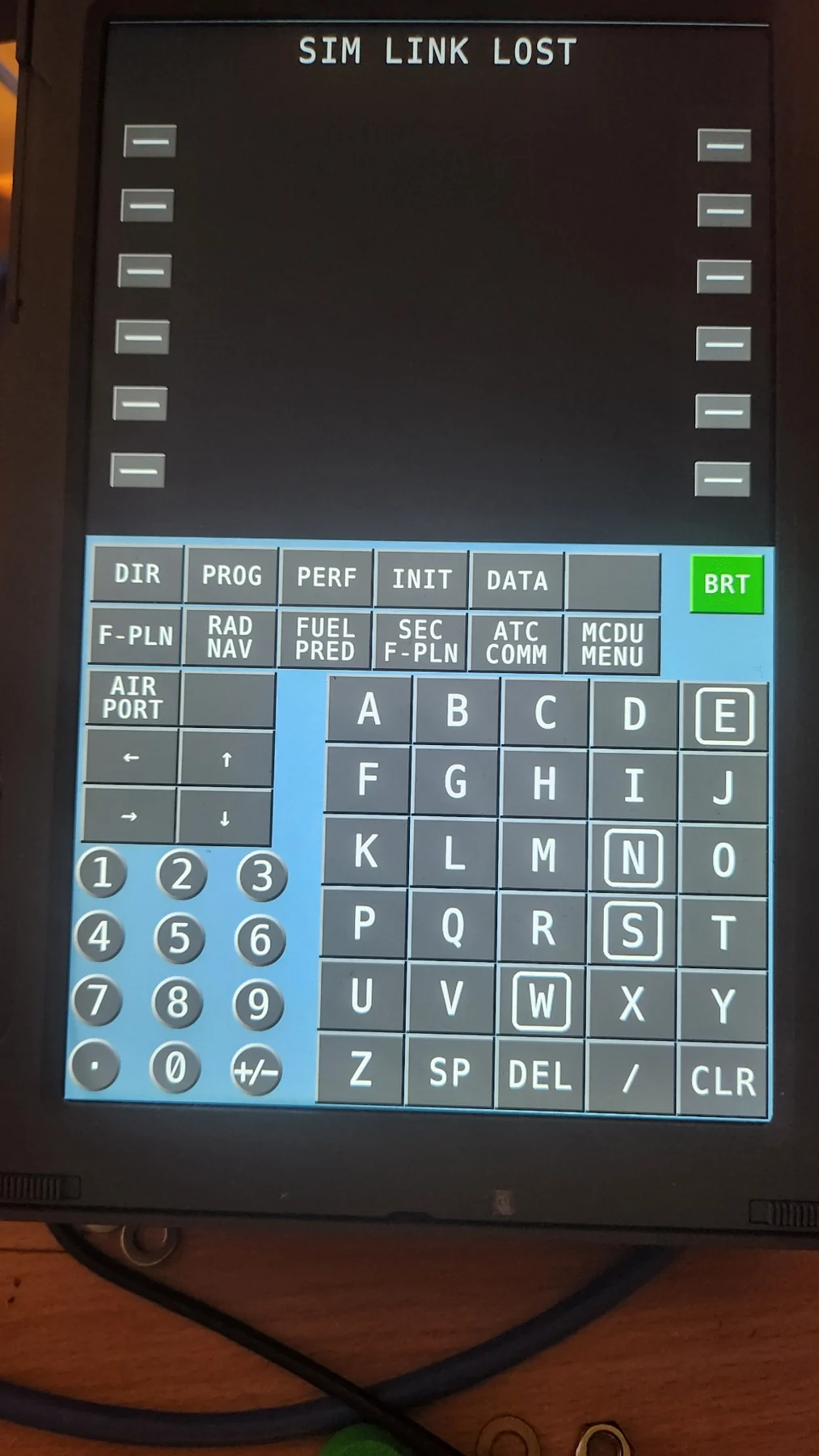
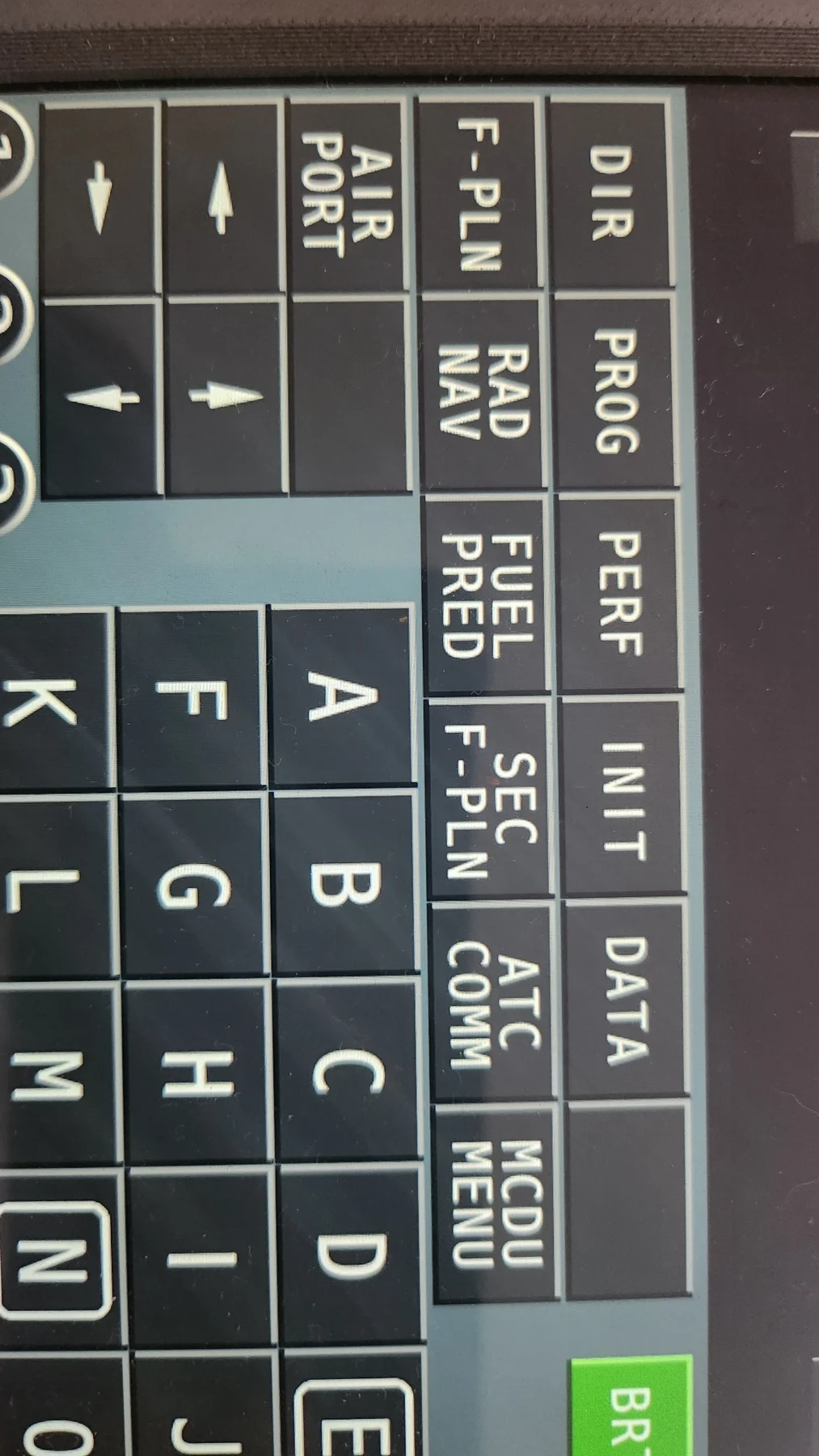
Responsiveness mattered. Every enabled touchscreen key has a three-dimensional appearance and visibly moves inward when touched. It is a small detail that helps compensate for the absence of physical buttons. I also created separate custom font families and keycap characters for the Boeing and Airbus interfaces; getting the smallest glyphs and arrows right took more work than expected.
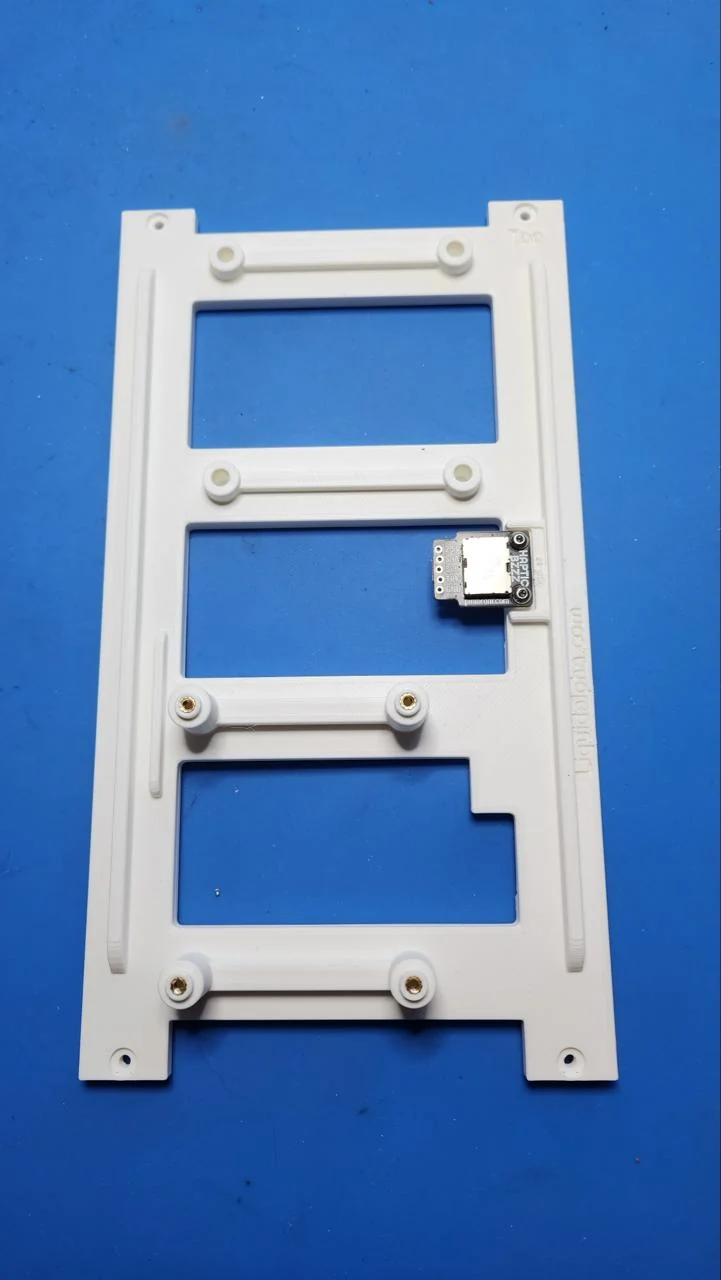
Haptic feedback was another experiment. I mounted a Pimoroni Haptic BZZZ actuator/driver module in a printed structure, hoping for a brief mechanical-feeling click. It worked, but none of the arrangements I tried felt convincing enough. Haptics didn't make Release 1.
Not a tablet or a screen capture
This is an important distinction. The TFMC isn't showing a captured picture of an FMC running elsewhere. There's no screen mirroring, remote desktop or video stream. It receives data from the simulator, renders the display locally with its own graphics and fonts, and sends key commands back. The simulator remains responsible for the actual flight management functions.
Each simulator has its own way of providing data, so I developed a common internal protocol. Simulator-specific connectors translate between that protocol and the individual simulator. The TFMC itself doesn't need a rewrite every time another supported aircraft is added.
Incoming display updates are processed immediately; the actual frequency depends on what each simulator supplies. Release 1 supports PMDG 737 and 777, Fenix A320, ToLiss Airbus A320, X-Plane native, Zibo and ProSim.
Getting the mechanics right
I started with a useful physical reference: my 3D-printed version of Karl's 737DIY mechanical CDU design. It gave me an established home-cockpit footprint to work from, even though the touchscreen enclosure and construction would be my own.
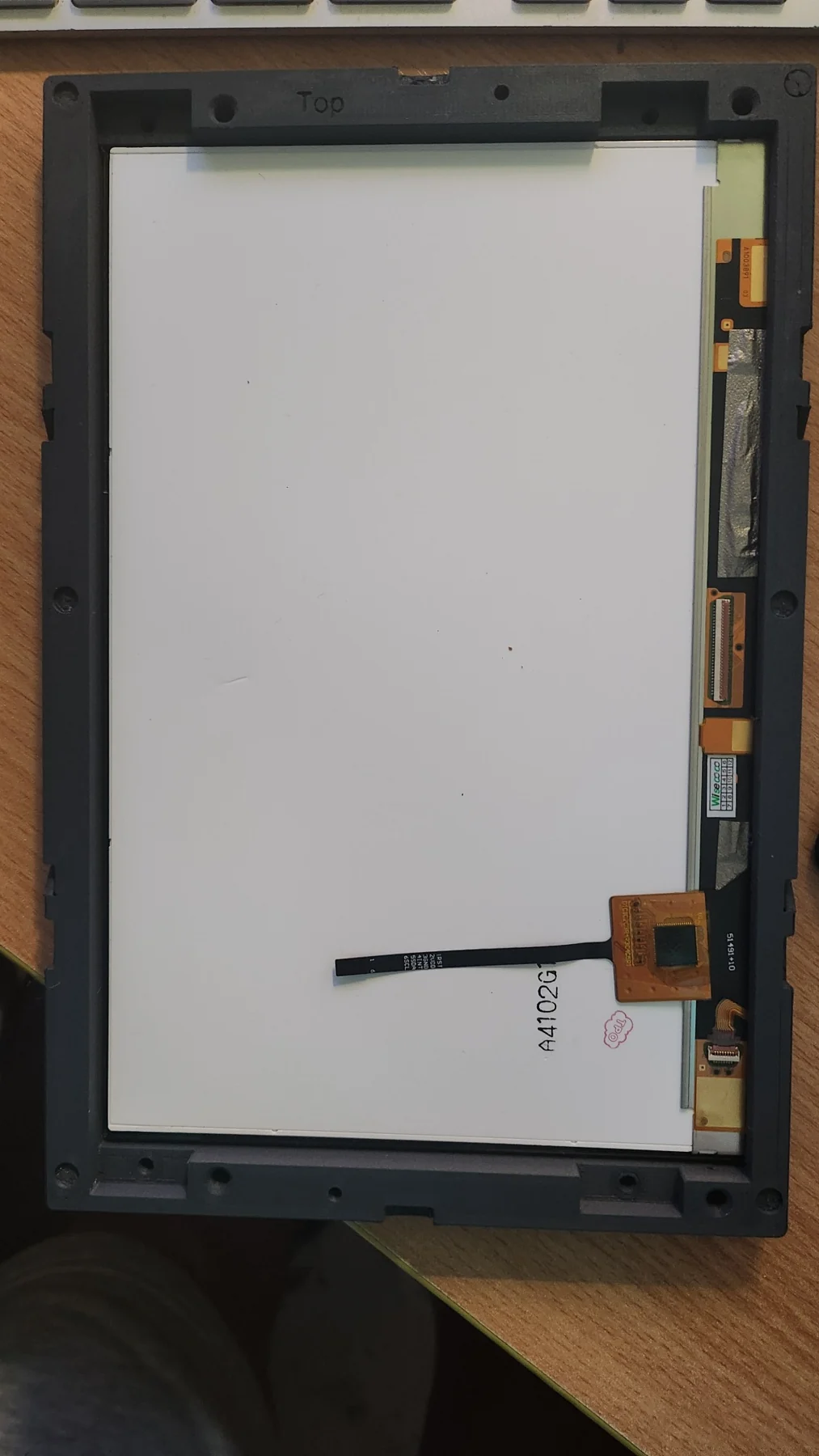
There was very little space around the screen. The enclosure, display mounts and internal electronics had to be arranged around the panel and its ribbon connections. An experiment with SLA resin printing didn't work out: the bezel bowed and wouldn't hold the required shape, so I settled on filament printing.
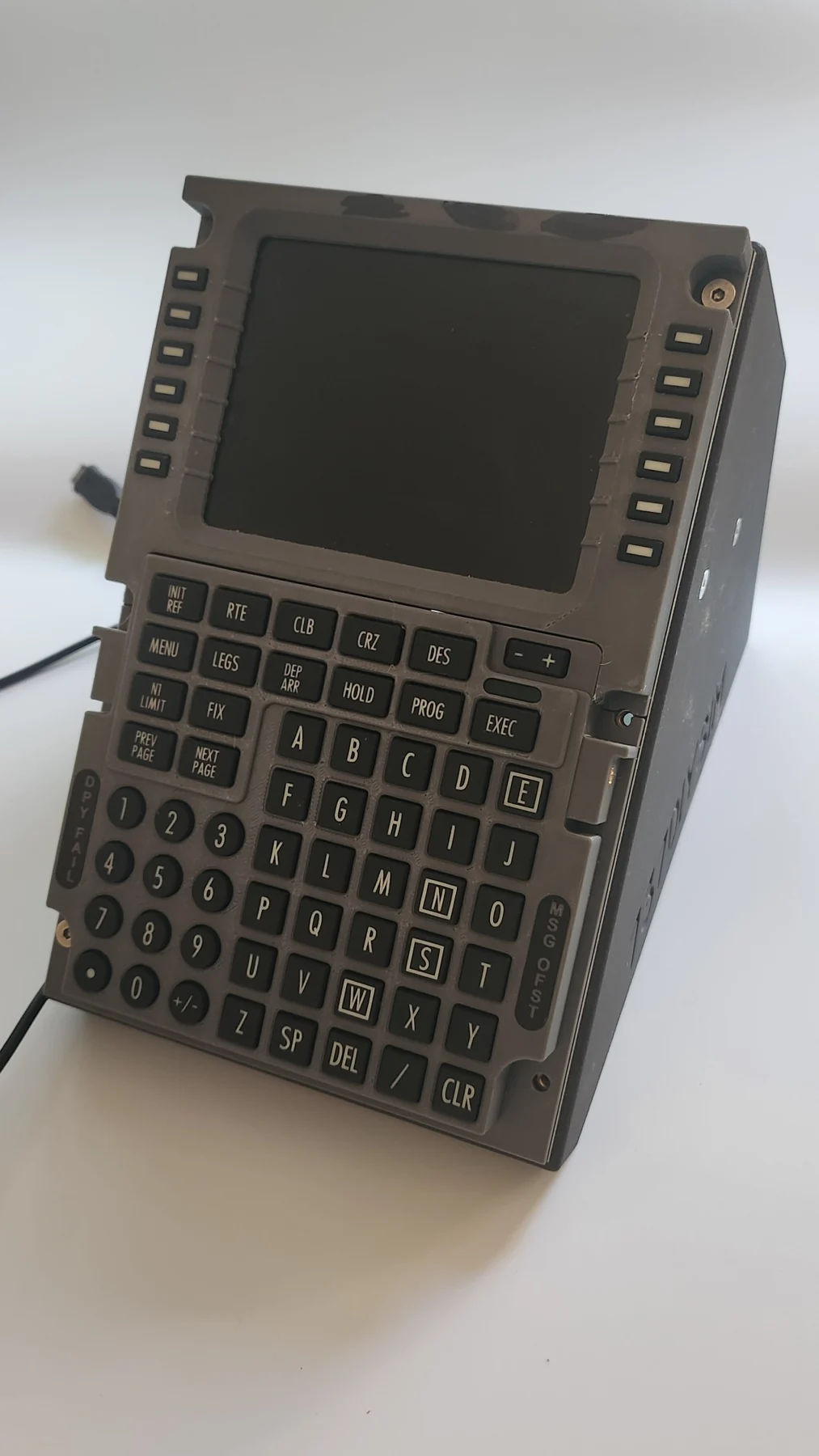
The finished design uses a custom enclosure and mounting system, with a front bezel held in place by magnets and positioned by locating pins. The two units in the opening photograph came straight off the printer, with no sanding, filling or painting. The Boeing unit is PLA-CF and the Airbus unit PETG-CF. Surface quality depends on printer, settings and filament; the camera can reveal imperfections that are hard to see in person.
More than one CDU
Each TFMC has its own identity and cockpit role. Two units can operate independently as Captain and First Officer, while the PMDG 777 can additionally use a centre CDU. And the same physical hardware can switch between Boeing and Airbus profiles.
Nearly a Year Later
Release 1 isn't perfect, and I wouldn't pretend otherwise. There are still details I'd like to improve. But after almost a year of development, it's very close to the appliance I originally imagined.
The idea was also to make something other enthusiasts could build themselves. The printable mechanical designs are intended for sale through Cults3D; builders provide their own screen, Raspberry Pi and other components and can obtain them over time. TFMC software is free for personal, non-commercial use.
What began as curiosity about Boeing's touchscreen CDU became an independent, working flight simulator interface. Finding out whether I could build it was most of the fun.
Interested in building one?
Explore the LAS TFMC and its supported simulator profiles.
Explore LAS TFMC